ClerkAuthentication
Clerk's ClerkAuthentication widget renders a UI for signing in and signing up users in your Flutter app.
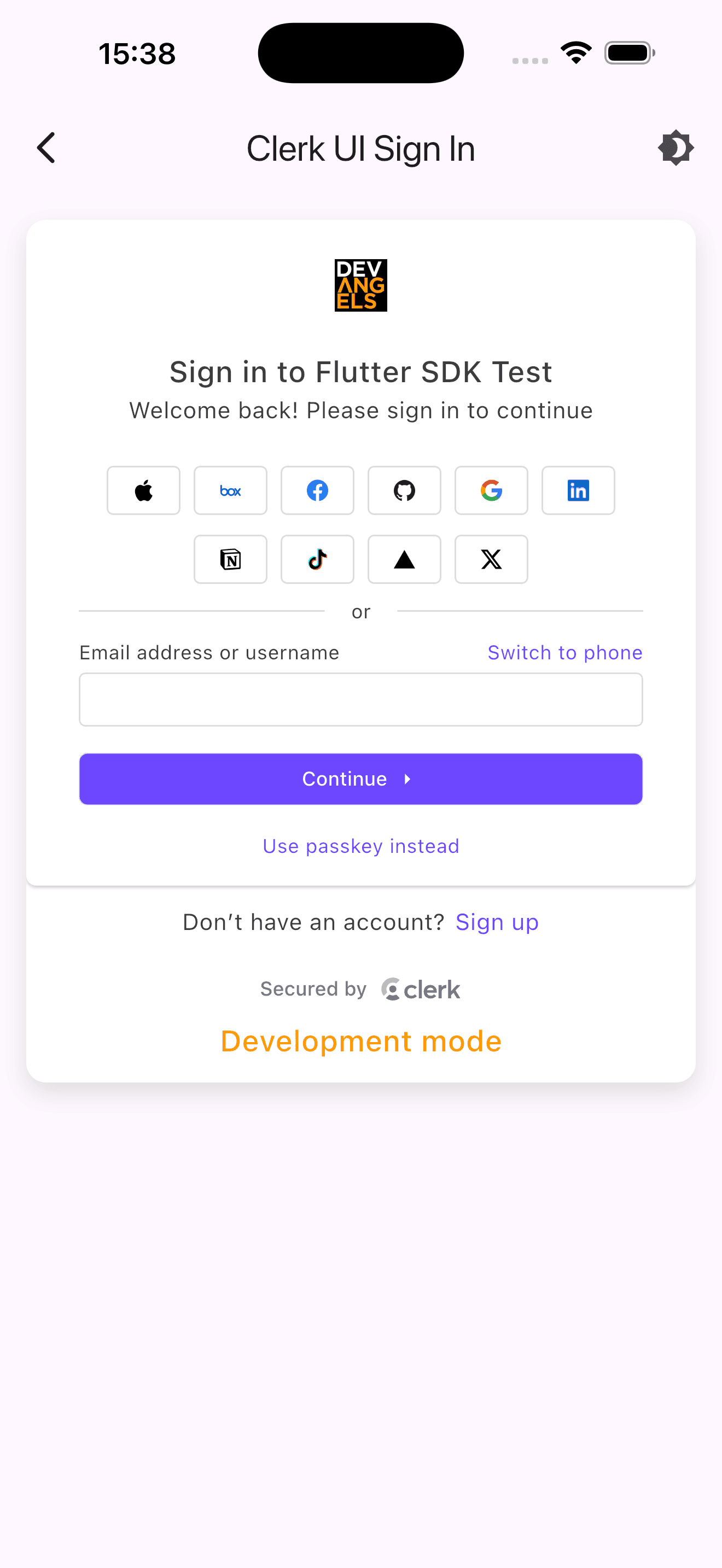
The ClerkAuthentication widget renders a comprehensive authentication interface with support for multiple sign-up flows and sign-in methods, multi-factor authentication, password reset, and account recovery. The functionality of the ClerkAuthentication widget is controlled by the instance settings you specify in the Clerk Dashboard, such as sign-in and sign-up options and social connections.
By default, ClerkAuthentication automatically determines whether to sign users in or sign them up based on whether they already have an account, providing a seamless authentication experience without requiring users to choose between the two flows.
ClerkAuthentication must be placed somewhere below a ClerkAuth widget in the widget tree.
Parameters
ClerkAuthentication has no additional parameters beyond the standard Flutter key.
Usage
Basic usage
The following example shows how to embed ClerkAuthentication in a screen that conditionally shows the authentication widget or the signed-in content.
import 'package:clerk_flutter/clerk_flutter.dart';
import 'package:flutter/material.dart';

class HomeScreen extends StatelessWidget {
  const HomeScreen({super.key});

  @override
  Widget build(BuildContext context) {
    final user = ClerkAuth.userOf(context);

    if (user != null) {
      return const Text('You are signed in!');
    }

    return const ClerkAuthentication();
  }
}
Present as a modal sheet
The following example shows how to present ClerkAuthentication as a modal bottom sheet when the user taps a button.
import 'package:clerk_flutter/clerk_flutter.dart';
import 'package:flutter/material.dart';

class HomeScreen extends StatelessWidget {
  const HomeScreen({super.key});

  @override
  Widget build(BuildContext context) {
    return Scaffold(
      body: Center(
        child: ElevatedButton(
          onPressed: () {
            showModalBottomSheet<void>(
              context: context,
              isScrollControlled: true,
              builder: (_) => const ClerkAuthentication(),
            );
          },
          child: const Text('Sign in'),
        ),
      ),
    );
  }
}
Customization
To learn how to customize the Clerk widgets, see the theming guide.
If Clerk's prebuilt widgets don't meet your specific needs or if you require more control over the logic, you can rebuild the existing Clerk flows using the clerk_auth package.